


























































































































































7 Best USB-C Docking Stations for Remote Workers and Business Professionals in 2026
-
Khalid M Raza
- June 26, 2026
- 0
- 9 min read

Affiliate Disclosure: Some links in this article are affiliate links. If you purchase a product through these links, Tumido News may earn a commission at no additional cost to you. As an Amazon Associate, we earn from qualifying purchases.
Amazon
Why did I choose one from the 7 best USB-C docking stations for remote workers like you and me? This is so because I have to look at all the best products and choose one that is affordable and suitable for regular use, and, honestly, quality and price matter. I have not mentioned their prices, but as it is, I included ‘expensive’ or ‘higher price’ and ‘premium price’. This matters to keep reading to know what best suits you from the chosen 7 best USB-C docking stations for you and me as remote workers or business professionals.
It is as usual: The ‘Writes RIGHT for YOU’
Working from home has some advantages, and you shouldn’t worry about the disadvantages. This is because I’ll explain why the 7 best USB-C docking stations would make you feel better. Be the ones to take care of, and be happy to work remotely.
The helpful tips and, as usual, a step-by-step guide
Helpful tips are here for you. If you read about the 7 best USB-C docking stations, you would also know the best tips in one guide to help you understand the value of buying something as good as comfort when working remotely. So, in this guide, you will learn multiple things about how USB-C docking stations could help you with multiple connections, and again comes the “why?” To learn more, please keep looking at the best images I have included; they’ll make your reading more engaging.
Why USB-C Docking Station?
As remote work and hybrid offices continue to reshape the modern workplace, professionals are relying on more devices than ever before. A laptop alone is often not enough to handle multiple monitors, external storage, keyboards, mice, printers, webcams, and other accessories required for a productive workspace.
This is where a USB-C docking station becomes an essential investment. With a single cable, a docking station can transform your laptop into a fully equipped workstation, reducing cable clutter while expanding connectivity and improving efficiency.
Whether you’re a remote worker, entrepreneur, freelancer, software developer, content creator, or business traveller, the right docking station can save time and create a more organised workspace.
In this guide, we’ve selected seven excellent USB-C docking stations based on their connectivity, performance, build quality, ease of use, and overall value.
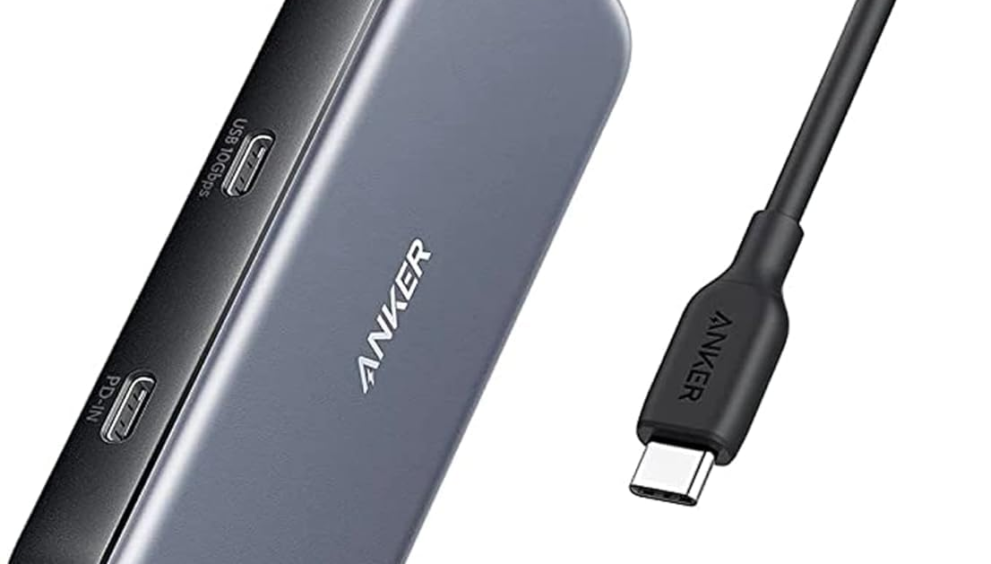
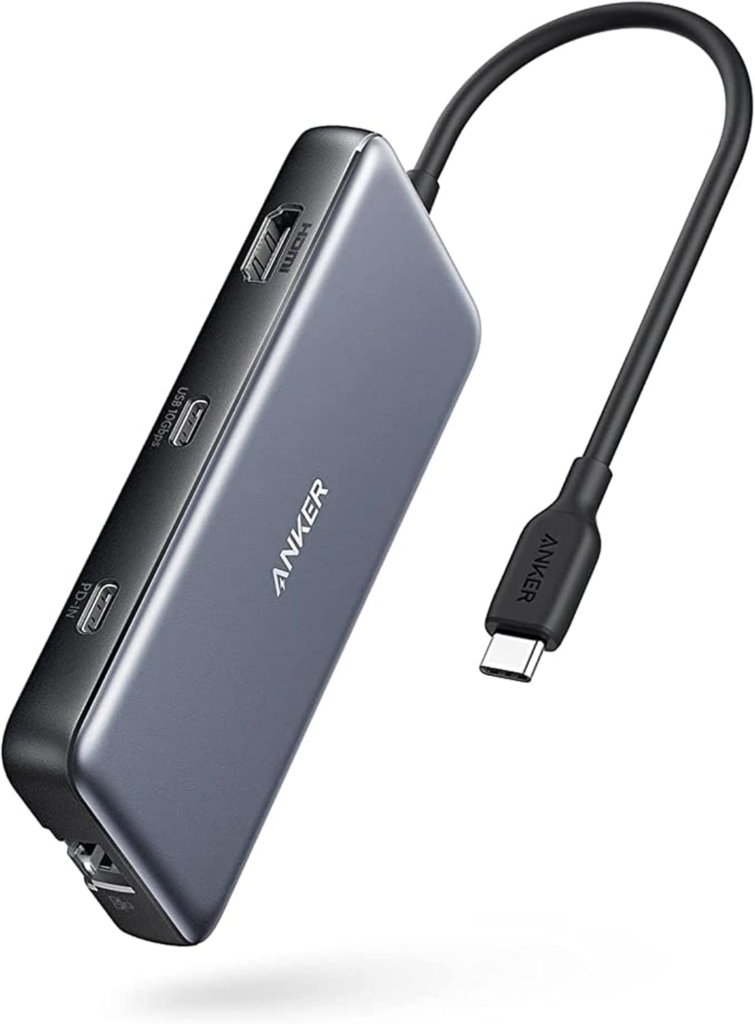
1. Anker USB-C Docking Station
This Anker docking station is one of the most versatile options for professionals who need reliable connectivity throughout the workday. It offers multiple USB ports, dual HDMI outputs, Ethernet, SD card slots, and USB-C Power Delivery, making it an ideal choice for multitasking.
Advantages:
- Excellent build quality
- Multiple USB ports
- Dual HDMI support
- Reliable power delivery
- Compact design
Not So…
Slightly expensive compared to entry-level models
Best For
Remote workers, entrepreneurs, and professionals who need an all-in-one desktop setup.
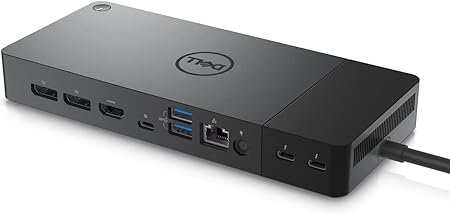
2. Dell WD22TB4 Docking Station
Dell’s WD22TB4 is designed for demanding professional environments. It supports multiple high-resolution displays, fast charging, and a wide range of accessories.
Its modular design also allows for future upgrades, making it a smart long-term investment for business users.
Advantages:
- Premium construction
- Excellent compatibility
- Fast charging
- Stable performance
Not So…
Higher price
Best For
Corporate offices and professionals using Dell laptops.
3. Plugable USB-C Triple Display Dock
Professionals working with large spreadsheets, financial data, coding projects, or video editing often require multiple monitors. The Plugable Triple Display Dock is built for these users.
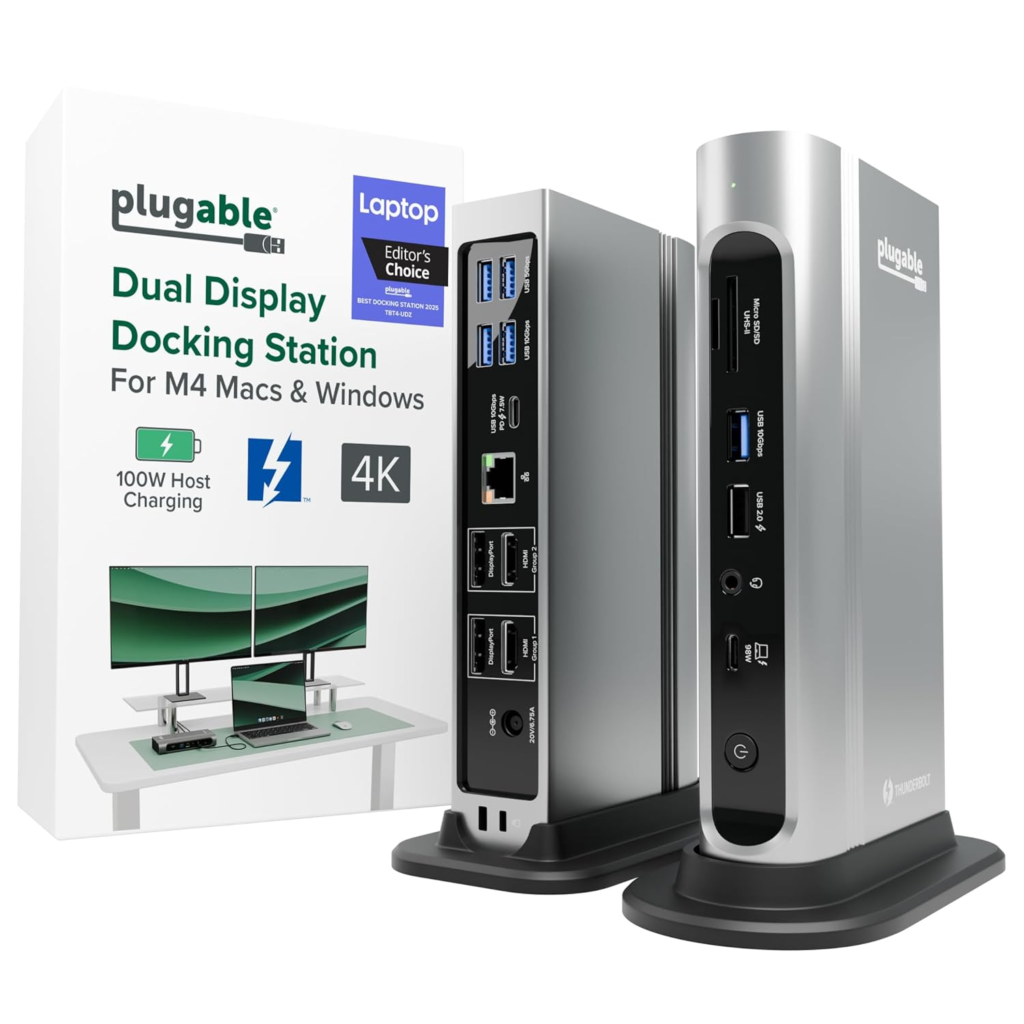
It supports up to three external displays while offering fast data transfer and reliable connectivity.
Advantages:
- Triple-monitor support
- Fast USB ports
- Reliable Ethernet connection
- Easy setup
Not So…
Larger footprint on the desk.
Best For
Analysts, developers, designers, and multitaskers.
4. Lenovo ThinkPad Universal USB-C Dock
Lenovo’s Universal Dock is designed with business productivity in mind. While it pairs perfectly with ThinkPad laptops, it also supports many other USB-C devices.
The dock offers a clean design, reliable networking, multiple USB ports, DisplayPort, HDMI, and charging support.
Advantages:
- Professional appearance
- Excellent reliability
- Enterprise-level features
- Good port selection
Not So…
Higher pricing
Best For
Business professionals and office environments.
5. Baseus 17-in-1 USB-C Docking Station
If you’re looking for maximum connectivity without spending a premium, the Baseus 17-in-1 Dock offers excellent value.
With numerous USB ports, HDMI outputs, Ethernet, SD card readers, and audio ports, it can replace several separate adapters.
Advantages:
- Outstanding value
- Wide range of ports
- Compact design
- Easy plug-and-play setup
Not So…
Some users may not need all 17 ports
Best For
Budget-conscious professionals.
6. UGREEN Revodok USB-C Dock
UGREEN has earned a reputation for producing dependable accessories, and the Revodok Dock continues that trend.
It provides a balanced combination of connectivity, portability, and affordability, making it suitable for home offices and travel.
Advantages
- Compact size
- Good build quality
- Affordable
- Reliable performance
Not So…
Limited premium features compared to high-end docks
Best For
Freelancers, students, and remote workers.
7. Kensington SD5700T Thunderbolt Dock
Professionals requiring maximum performance should consider the Kensington SD5700T.
Designed for demanding workflows, it supports dual 4K displays, high-speed data transfer, and stable power delivery.
Advantages:
- Outstanding performance
- Premium build quality
- Excellent connectivity
- Future-ready Thunderbolt support
Not So…
Expensive
Best For
Creative professionals, engineers, and power users.
What to Look for Before Buying
Before choosing a docking station, consider the following:
Number of Ports
Think about how many USB devices, monitors, and accessories you’ll connect daily.
Display Support
If you use multiple monitors, ensure the docking station supports the required number and resolution of displays.
Charging Capability
Power Delivery lets you charge your laptop through the same USB-C cable, reducing desk clutter.
Ethernet Connectivity
A wired Ethernet connection provides greater stability and speed than Wi-Fi, especially for video conferencing and large file transfers.
Compatibility
Check that the docking station is compatible with your laptop’s USB-C or Thunderbolt standards before purchasing.
Why a Docking Station Improves Productivity
Instead of plugging and unplugging several cables every day, a docking station lets you connect everything with a single cable.
This means you can instantly access:
- External monitors
- Keyboard and mouse
- Ethernet
- External SSDs
- Printers
- Speakers
- Webcam
The result is a cleaner workspace and a faster, more efficient workflow.
Frequently Asked Questions
Do I need a USB-C docking station?
If you regularly connect multiple devices to your laptop, a docking station can simplify your setup and improve productivity.
Can I connect two monitors?
Many modern USB-C docking stations support dual-monitor setups, while some premium models can handle three or more displays.
Are docking stations compatible with MacBooks?
Many USB-C and Thunderbolt docking stations work with MacBooks, although display support may vary depending on the Mac model and chipset.
Is Thunderbolt better than USB-C?
Thunderbolt generally offers faster data transfer speeds and greater display capabilities, but it also tends to be more expensive. For most everyday business tasks, a quality USB-C docking station is more than sufficient.
Includes some slightly different products, as mentioned here: Disclaimer. Tumido News always gives credit to whoever provides us with images. All images in the blog either belong to Tumido News or Amazon, are third-party companies, or are press releases emailed to us. Tumido News is thankful to all. The author or the Editor-in-Chief is responsible for taking full control of it by doing about 90% of the work. For any issues or disputes, visit our Contact Us page.
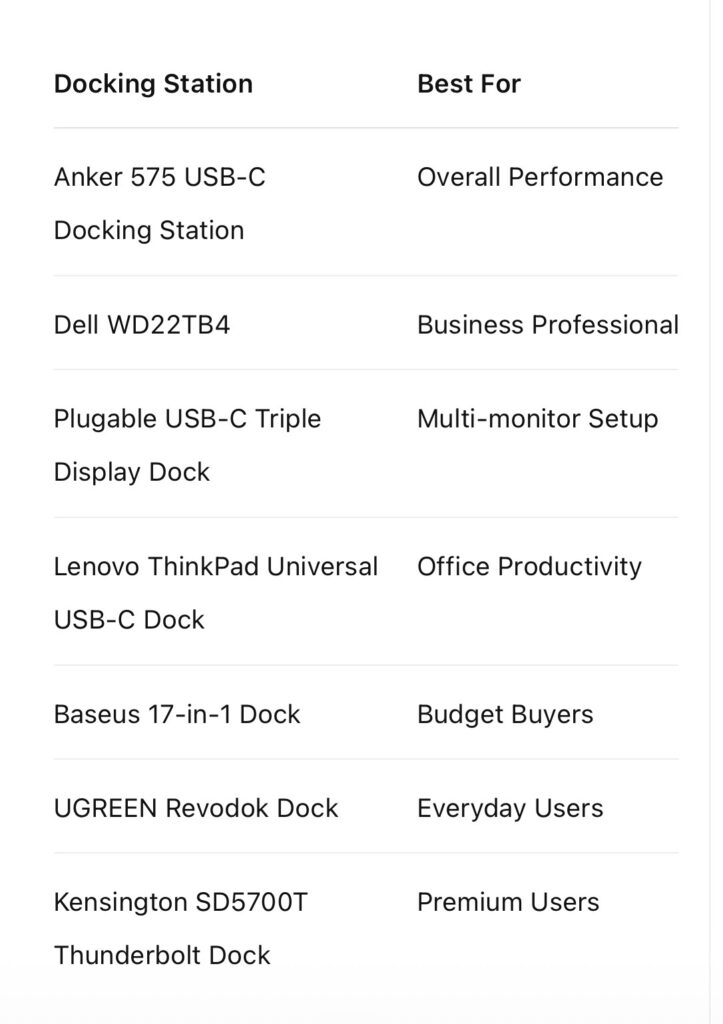
Summarised Suggestion:
A USB-C docking station is one of the smartest upgrades you can make to your workspace. It streamlines connectivity, reduces cable clutter, and helps create a more productive environment whether you’re working from home, in the office, or on the move.
Among the options in this guide, the Anker 575 USB-C Docking Station stands out as the best overall choice for most professionals thanks to its excellent balance of performance, features, and reliability. If you’re looking for a premium business solution, the Dell WD22TB4 is a strong contender, while the Baseus 17-in-1 Dock offers exceptional value for users on a tighter budget.
Choosing the right docking station depends on your laptop, workflow, and connectivity needs, but investing in a quality model can make your daily work experience more efficient and organised for years to come. Please keep your room setup organised and place everything in the correct places. You would know ‘which and what is where’, ‘how and why’ and so on.
Note: This article, written by Khalid M. Raza and published on Tumido News, aims to help readers understand the real events in business, trade, and market trends and growth. All written content here is on the writer’s ‘Writes RIGHT for YOU’ basis, and if you have any questions, please leave a comment. All content on Tumido News is for the information and knowledge of our esteemed readers. Feel free to ask.
Also Read:
All prices listed for each product are subject to change at any time. The images used are credited to Amazon and the respective companies involved. We thank them for their cooperation.